
The Ultimate Plant Finder App Guide - Free & Paid Options

Portrait of botanist and developer Carla Garcia

Connect with Carla

Carla Garcia

About the Author

Carla Garcia is a botanist and software developer. Carla pursued her undergraduate degree in Environmental Science, then earned a master's in Computational Biology, where she specialized in plant taxonomy.

Carla is outgoing, and during one of the field trips with her groupmates, she stumbled across a problem: her group spent too much time trying to identify every single plant. That’s how Carla got an idea for a plant finder app. Something that would make her professional life easier and more efficient. That is how she began working on ways to use technology to help people identify plants in real time.

Carla’s drive is natural. She wants to share its beauty with everyone, that’s why she is still working on flora finders. She believes that making botanical knowledge more accessible can inspire greater stewardship of the planet.

Introduction

Have you ever wanted to pick a flower or any other plant? Maybe as a gift or to put it in a vase, or even to eat it? It’s always a bit risky. Some flora is poisonous or endangered from being picked.

A flora identifier can save you these troubles. Such apps will identify the plant for you, and they are surprisingly accurate. The technology sure has progressed a lot.

Which plant finder is the best? And what makes one app better than the other? Let’s find out.

Top 5 Plant Finder Apps

These are your top 5 for the plant finder app free options.

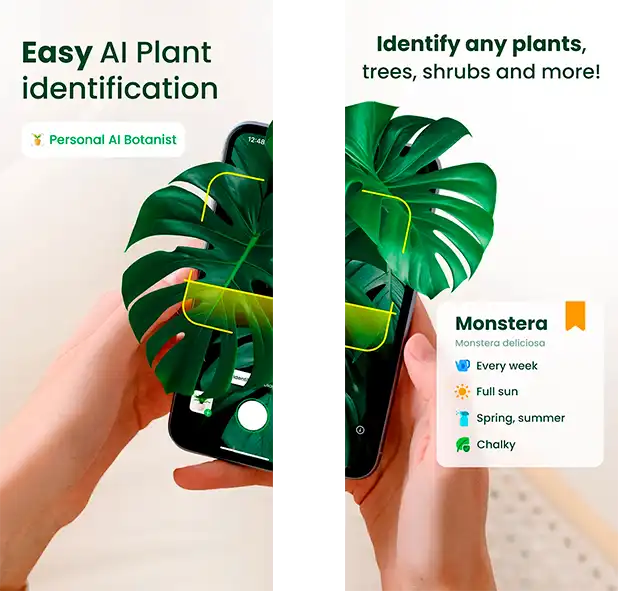
AI Plant Finder interface showing scan results

1. AI Plant Finder

A next-generation plant ID app that uses deep learning and an expanding botanical database to identify flora with high accuracy from photos. Likely the most modern and technological app of the bunch.

Key Features:

  • AI-based flora recognition. Highly accurate: 97%.
  • Extensive database of 300,000+ entries.
  • Plant care tips and reminders.
  • Disease identification via the Disease ID feature. Highly accurate: 98%.

Best for: Accurate, AI-powered plant identification. AI Finder works excellently for experts & rookies.
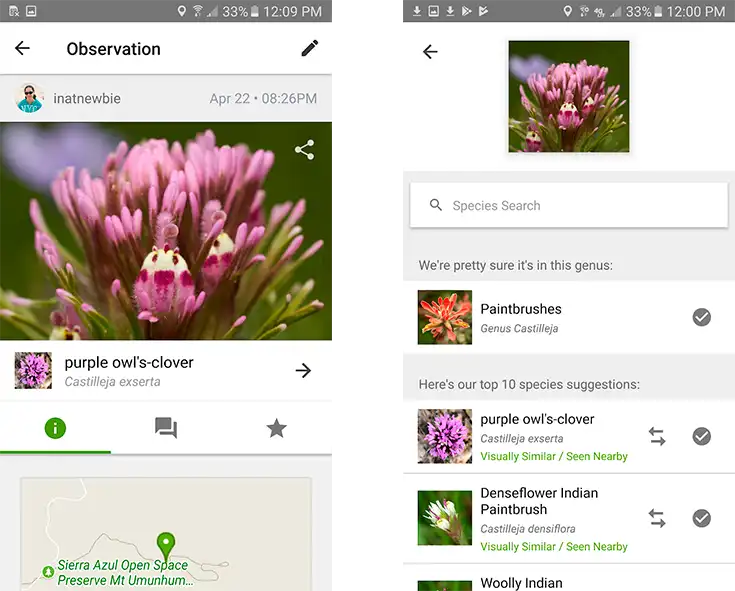
Community-driven iNaturalist app interface

2. iNaturalist

A joint initiative by the California Academy of Sciences and National Geographic. iNaturalist connects users with a global community of scientists and nature enthusiasts.

Key Features:

  • Crowdsourced Identifications via other users.
  • Observation Records.
  • Integration with scientific journals.
  • Project Creation and Management.

Best for: Wildlife & Biodiversity tracking.

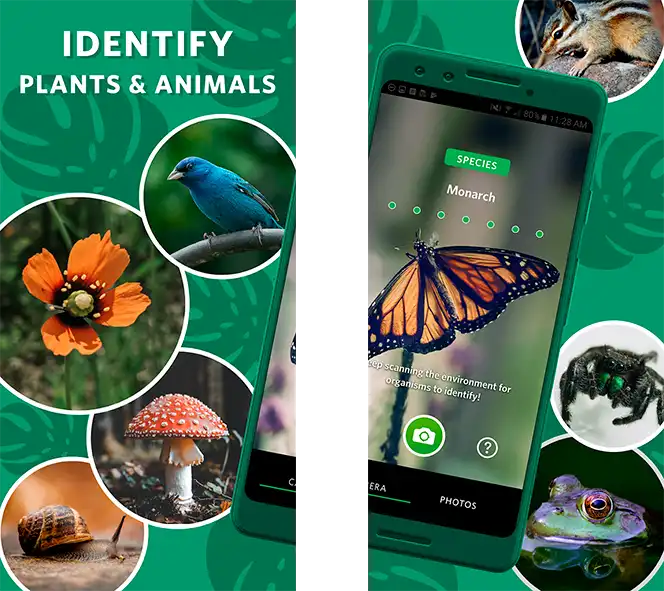
Friendly Seek by iNaturalist app exploring flora

3. Seek on iNaturalist

A family-friendly app from the makers of iNaturalist. It identifies flora, fungi, and animals instantly without requiring an account. Fun and safety are the main points here.

Key Features:

  • AI-based flora recognition. Highly accurate: 97%.
  • Extensive database of 300,000+ entries.
  • Plant care tips and reminders.
  • Supports offline use.

Best for: Family use & Beginners.

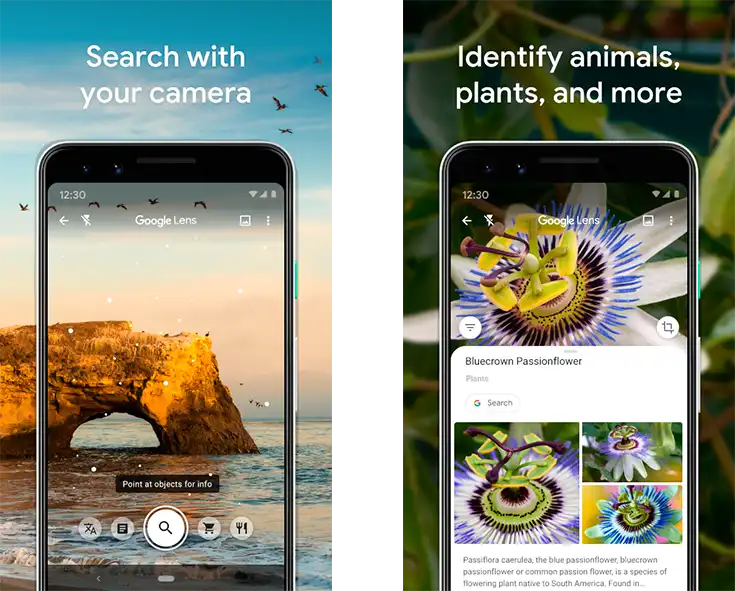
Google Lens scanning plants through the camera

4. Google Lens

A versatile visual search tool that can identify flora instantly through your smartphone camera, though not focused solely on flora.

Key Features:

  • Identification based on Google AI.
  • Recommendations based on Google Search.
  • Integrated within many Google Products.

Best for: Beginners who need quick info.

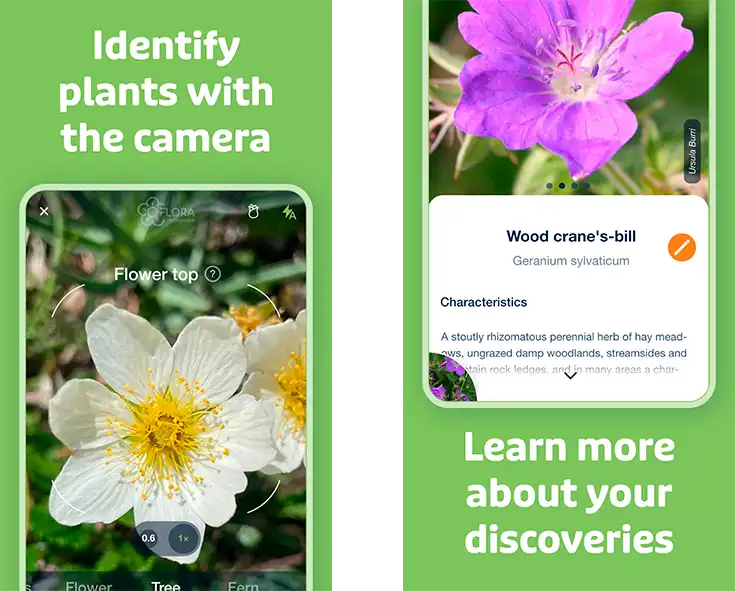
Flora Incognita app focusing on wild plants

5. Flora Incognita

Developed by European research institutions. The app specializes in identifying wild plants, especially in Central Europe, with scientific precision.

Key Features:

  • AI-supported flora identification.
  • Extensive database of 30,000+ entries.
  • Inquisitive, research-oriented entries.
  • Supports offline use.

Best for: Students & Beginners.

How to Use Plant Finder Apps Effectively

1. Take Clear Photos in Natural Light.

Good lighting is key for accurate identification. Always try to photograph the plant in natural daylight, ideally avoiding harsh shadows or overexposure. Flash or dim lighting can distort the color and details that the AI or database uses to match the plant.

2. Capture Multiple Angles.

Don’t just snap one shot of a leaf. Instead, photograph:

  • Leaves (front and back).
  • Flowers or fruit (if present).
  • The stem or bark.
  • Overall plant shape or growth pattern.

Apps can often cross-reference these parts for higher identification accuracy.

3. Include a Scale Reference

Adding a familiar object like a coin, your hand, or a ruler next to the plant helps the app estimate size and proportion. This is especially useful when identifying species with visually similar features but different sizes.

4. Note Location Details

Geographical context can significantly improve the accuracy of an ID. Some apps use GPS data to narrow down regional species. Turn on location tracking, or manually note the habitat (e.g., garden, mountains, desert, wetland).

5. Verify with Multiple Apps for Rare Species

Even the best apps can struggle with rare, regional, or look-alike species. If you're unsure of a result, cross-check with a second app or consult community-driven platforms. This is particularly helpful for medicinal or invasive flora, where misidentification could have consequences.

Pro Tip

Morning light provides the best conditions for plant photography. Everything looks sharp, and the scan works well.

By following these tips, you’ll improve the reliability of flora IDs.

Beware of "Fake Free" Apps

Most apps nowadays pursue a freemium policy. Freemium means that the app is technically free, but the user is encouraged to subscribe for a premium to get new functions and improve the user experience.

It’s a fine policy. Most of the apps you use are freemium. It’s just that some developers corrupt their ideas and practically force you to use a paid subscription.

Many plant ID apps claim to be free, but:

  • Limit scans without payment.
  • Add watermarks to your photos.
  • Require email signups.
  • Show excessive ads.

If your platform does this, it’s not an actual plant finder free app! Our recommended apps have none of these restrictions. They don’t bombard you with ads, don’t limit your scans, or put watermarks.

Alternative Free Options

Again, these platforms offer excellent identification and don’t force you into buying premium:

  • AI Plant Finder.
  • iNaturalist.
  • Seek by iNaturalist.
  • Google Lens.
  • Flora Incognita.

FAQ

Which app is most accurate for rare plants?

AI Plant Finder is the most accurate by far. It has an accuracy of 97%. You can reach even higher accuracy by uploading 3 photos for scans. iNaturalist follows closely.

Can these apps identify plants from just leaves?

Yes, most flora identifier apps can identify plants from just leaves, including the top 5 of our choice. Google Lens prides itself on the ability to scan even parts of the plant.

Do I need the internet for identification?

Generally, yes. Most flora identifiers need to constantly update and maintain their database, and they need an online connection for it. There are only 2 expectations: Seek by iNaturalist and Flora Incognita. Both apps are aimed at students, so they added an offline feature for safety and accessibility.

Are there apps specifically for houseplants?

More than that. Our top 5 applications are universal, and developers chose not to limit their databases to houseplants only. So they work with indoor flora well, but with the wild one just as well.

Are plant finder apps safe for pet owners?

Yes, it’s safe. Finder apps can help your pet in many ways. Some of the house plants you bring might be poisonous for your pet, and the app can tell for sure. Always: double-check any flora you bring home, even if your app says it’s safe.

Why choose free vs paid apps?

Choosing between free and paid options depends on your needs, budget, and how deep you want to go with plant care or identification. Choose free: if you're a casual user, student, or hiker. Choose paid: if you're a big gardener, collector, educator, or want in-depth plant care.

How can I improve identification accuracy?

You can improve identification accuracy by taking clear, focused photos of the whole plant. Some apps allow other ways of increasing accuracy, like using your geolocation or letting you capture not one but multiple photos for a scan.

Final Recommendations

When you’re choosing the best flora finder, you should look for these qualities:

01

Allow Free Options

a free plant finder app for iPhone should not feel limited. Premium must be an expansion, not a must. The same goes for the free plant finder app for Android.

02

Accurate Image Recognition

The app should reliably identify flora. You need accuracy above 95%.

03

Multi-Angle Photo Support

Ability to upload multiple images (e.g., leaf + flower + base) for higher accuracy.

04

Detailed Plant Info

Includes care tips, growth habits, scientific data, and native range for deeper learning.

05

Plant Care Reminders

Good for houseplants. The app can remind you about watering, fertilizing, repotting, and light tracking.

06

Disease & Pest Diagnosis

AI-powered health check for spotting leaf spots, mold, or pests.